การใช้งาน POSPOS Developer API


8 มกราคม 2021

การเรียกใช้งาน POSPOS Developer (0.3)
POSPOS มี APIs ให้นักพัฒนาเรียกใช้ได้หลักๆ ดังนี้
- Transaction API
- Stock API
- Member API
- Sell-Credit API
การจำกัดการเรียกใช้งาน API เพื่อความเสถียรของระบบ จะจำกัดตามนี้ :
- ไม่เกิน 300 ครั้งต่อ/10วินาที
กรุณาปรับการเชื่อมต่อของคุณให้สอดคล้องกับข้อกำหนดนี้ เพื่อหลีกเลี่ยงข้อผิดพลาดจากการเรียกใช้งานเกินกำหนด
การขอ API Key
- ผู้ขอ Key จะต้อง Login ด้วย POSPOS Shop Owner (เจ้าของร้าน)
- ก๊อบปี้ Token Key จากหน้า Shop/Developer Setting แล้วส่งให้เจ้าหน้าที่ทาง support@pospos.co
- เจ้าหน้าที่จะทำการตรวจสอบเพื่ออนุมัติ Token Key ให้เป็น API Key ส่งกลับไปที่ผู้ขอผ่านอีเมล

การเรียกใช้งาน API
- เรียกใช้ผ่าน RESTful API พร้อมแนบ API Key มากับ Http Header
- ผู้ใช้งานต้องรักษา Key ไว้ให้ดี หากมีการใช้งานเกิน Quota ระบบจะยกเลิก Keys และ บริการโดยอัตโนมัติ ตามเงื่อนไขของแต่ละ POSPOS Subscription
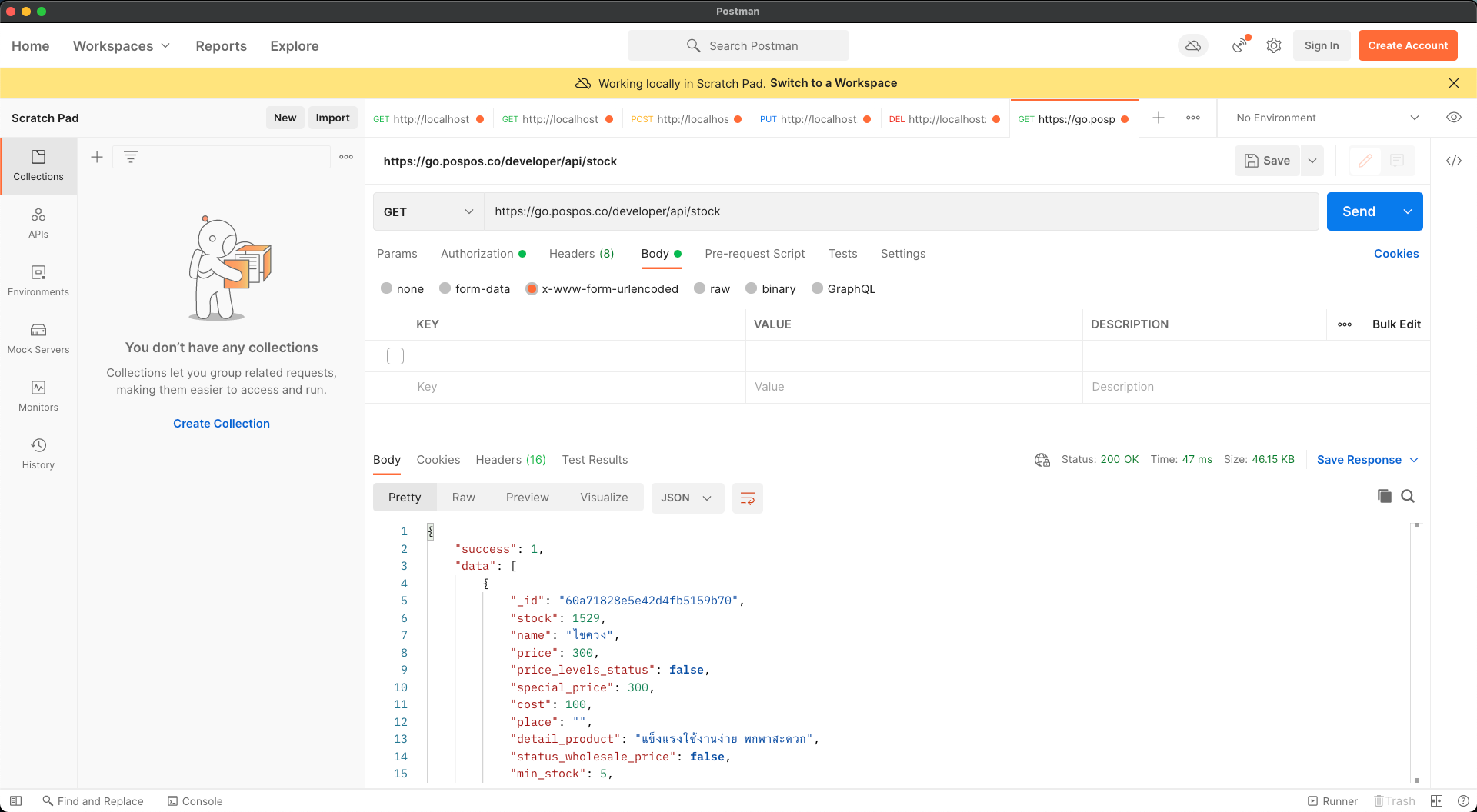
ตัวอย่างการเรียกใช้งาน API ผ่าน Postman
API: GET Transactions
- Call to feed payment transactions. The number of transactions is set by duration attached in the string query.
- Example: Transactions between 2022-01-01 to 2022-01-30
- https://go.pospos.co/developer/api/transactions?page=1&limit=200&start=2022-01-01&end=2022-01-30
*URL (HTTP GET)
https://go.pospos.co/developer/api/transactions?page=1&limit=200&start=2022-01-01&end=2022-01-30
*String Query
page : {page_offset}
limit : {transaction limit per request}
start : {begin date and time}
end : {end date and time}
current_buyer : {optional value is boolean}
current_buyer : {optional value is boolean}
*Header
apikey : {YOUR_API_KEY}
API: GET All Products Stock & GET Stock By ID
- Call to feed all product stock information in array.
- Call to get all information of specific product including stock - by product id
//GET All Product Stock
*URL (HTTP GET)
https://go.pospos.co/developer/api/stock
*Header
apikey: {YOUR_API_KEY}
//GET All Product Stock with pagination
*URL (HTTP GET)
https://go.pospos.co/developer/api/stock/pagination
*String Query
page : {page_offset}
limit : {limit item per request}
term : {keyword for search product (product code, product name)}
*Header
apikey: {YOUR_API_KEY}
//GET Stock By ID
*URL (HTTP GET)
https://go.pospos.co/developer/api/stock/{id}
*Header
apikey: {YOUR_API_KEY}
API: GET All Members
- Call to feed all members.
- Call to feed member by phone number
- Call to feed member by code
- Call to feed member by id
*URL (HTTP GET)
https://go.pospos.co/developer/api/member
*String Query
page : {page_offset}
limit : {member limit per request}
*Header
apikey: {YOUR_API_KEY}
*URL (HTTP GET)
https://go.pospos.co/developer/api/member/find/phonenumber/{phonenumber}
*Header
apikey: {YOUR_API_KEY}
*URL (HTTP GET)
https://go.pospos.co/developer/api/member/code/{code}
*Header
apikey: {YOUR_API_KEY}
*URL (HTTP GET)
https://go.pospos.co/developer/api/member/id/{id}
*Header
apikey: {YOUR_API_KEY}
API: GET Sell Credit
- Call to feed all credit sell (ค้างจ่าย).
*URL (HTTP GET)
https://go.pospos.co/developer/api/credit?{string query}
*String Query
page : {page_offset}
limit : {limit per request}
period : {ALL | OUT_OF_PERIOD | IN_OF_PERIOD}
status : {paid | pending}
*Header
apikey: {YOUR_API_KEY}
API: GET Vendor
- Call to feed all vendor.
*URL (HTTP GET)
https://go.pospos.co/developer/api/vendor?{string query}
*String Query
page : {page_offset}
limit : {limit per request}
term : {code | phonenumber | companyname}
*Header
apikey: {YOUR_API_KEY}
API: GET Buy document
- Call to feed all buy document.
*URL (HTTP GET)
https://go.pospos.co/developer/api/buy-document?{string query}
*String Query
page : {page_offset}
limit : {limit per request}
term : {code}
start_date : {begin date and time}
end_date : {end date and time}
*Header
apikey: {YOUR_API_KEY}
We are working hard to publish more APIs.
:)